Täglich Shaarli
April 6, 2022
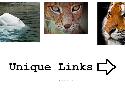
- To begin with, add an HTML element on the same page as the Elementor Image Carousel
- After that, add a class name to your Elementor carousel element
- Give it the class name “carousel1” under Advanced > CSS Classes.
- Then, add this code the html element, and edit the links to your own
<style>.swiper-slide-image{cursor: pointer;} </style>

<script>
document.addEventListener('DOMContentLoaded', function () {

/* Edit the links HERE */
let links = [
    'https://element.how/elementor-menu-anchor/#anchor_from_other_pages',
    'https://element.how/elementor-horizontal-scroll-section/',
    'https://element.how/amazing-accordion-section/',
    'https://element.how/awesome-hexagonal-boxes/',
    'https://element.how/show-header-hamburger-click/',
    'https://element.how/elementor-centered-logo-header/'
];

document.body.addEventListener('click', function (e) {
    if (e.target.closest('.carousel1 .swiper-slide')){
    let i = e.target.closest('.swiper-slide').getAttribute("data-swiper-slide-index");
    window.open(links[i]); /* TO OPEN LINKS IN SAME WINDOW USE: location = links[i]; */
    }
});
});
</script>- enjoy
Multiple carousel on same page
add the class ‘carousel1’ , ‘carousel2’ , ‘carousel3’ etc to each Image Carousel
<style>.swiper-slide-image{cursor: pointer;} </style>

<script>
/* For Carousel 1 on the page */

document.addEventListener('DOMContentLoaded', function () {

/* Edit the links HERE */
let links = [
'https://element.how/elementor-pop-ups-problems/',
'https://element.how/elementor-horizontal-scroll-section/',
'https://element.how/amazing-accordion-section/',
'https://element.how/awesome-hexagonal-boxes/',
'https://element.how/show-header-hamburger-click/',
'https://element.how/elementor-centered-logo-header/'
];

document.body.addEventListener('click', function (e) {
if (e.target.closest('.carousel1 .swiper-slide')){
let i = e.target.closest('.swiper-slide').getAttribute("data-swiper-slide-index");
window.open(links[i]); /* TO OPEN LINKS IN SAME WINDOW USE: location = links[i]; */
}
});
});

/* For Carousel 2 on the page */

document.addEventListener('DOMContentLoaded', function () {

/* Edit the links HERE */
let links = [
'https://element.how/elementor-pop-ups-problems/',
'https://element.how/elementor-horizontal-scroll-section/',
'https://element.how/amazing-accordion-section/',
'https://element.how/awesome-hexagonal-boxes/',
'https://element.how/show-header-hamburger-click/',
'https://element.how/elementor-centered-logo-header/'
];

document.body.addEventListener('click', function (e) {
if (e.target.closest('.carousel2 .swiper-slide')){
let i = e.target.closest('.swiper-slide').getAttribute("data-swiper-slide-index");
window.open(links[i]); /* TO OPEN LINKS IN SAME WINDOW USE: location = links[i]; */
}
});
});

/* For Carousel 3 on the page */

document.addEventListener('DOMContentLoaded', function () {

/* Edit the links HERE */
let links = [
'https://element.how/elementor-pop-ups-problems/',
'https://element.how/elementor-horizontal-scroll-section/',
'https://element.how/amazing-accordion-section/',
'https://element.how/awesome-hexagonal-boxes/',
'https://element.how/show-header-hamburger-click/',
'https://element.how/elementor-centered-logo-header/'
];

document.body.addEventListener('click', function (e) {
if (e.target.closest('.carousel3 .swiper-slide')){
let i = e.target.closest('.swiper-slide').getAttribute("data-swiper-slide-index");
window.open(links[i]); /* TO OPEN LINKS IN SAME WINDOW USE: location = links[i]; */
}
});
});

/* For More carousels, keep duplicating the code in the same fashion, replacing '.carouselx' with the right x value */
</script>