


if status --is-interactive
Command to get a fresh database dump from redis with redis-cli
redis-cli --rdb /tmp/dump.rdb
From Redis Docs

upstream docker-registry {
server registry:5000;
}




root certbot -q renew --nginx

tar -axvf ImageMagick.tar.gz
!/bin/bash
rdb_file="/FOLDER_TO_YOUR_REDIS_DUMP_FILE/redis/dump.rdb"
redis_cli="/usr/bin/redis-cli"
DIR=date +%d-%m-%y
DEST=~/redis_backups/$DIR
mkdir $DEST
echo save| $redis_cli
exit 1
Rake::Task[:extra_behavior].invoke
Rake::Task[:my_task].invoke(1,'v18_0',20141230)
certbot renew --dry-run


file exists




gulp.task('default', () => {
return gulp
.src('./build/*.html')
.pipe(replace('.js"></script>', '.js" inline></script>'))
.pipe(replace('rel="stylesheet">', 'rel="stylesheet" inline>'))
.pipe(
inlinesource({
compress: false,
ignore: ['png'],
})
)
.pipe(gulp.dest('./build'));
});
{
"semi": true,
"trailingComma": "none",
"singleQuote": true,
"printWidth": 80
}
This post suggests the top 6 snippets you need to keep in your Chrome DevTools to help you experiment and build better apps.

While I regularily use services like Buddy or DeployHQ to build and deploy Craft CMS websites, I wanted to experiment with Github Actions. Here is what I came up with and why.


/etc/nginx/conf.d/mod-http-passenger.conf

!/bin/bash

download mjpg-streamer:
git clone https://github.com/jacksonliam/mjpg-streamer.git
install libjpeg and cmake
apt-get install cmake libjpeg9-dev
make and install mjpg-streamer
cd mjpg-streamer/mjpg-streamer/mjpg-streamer-experimental
make
sudo make install
add stream script
sudo nano stream.sh
paste and edit accordingly your webcam settings
#!/bin/sh

PORT="8080"
ID="Raspberry Pi Web Cam"
PW="1234"
SIZE="1280x720"
FRAMERATE="60"

export LD_LIBRARY_PATH=/usr/local/lib
mjpg_streamer -i "input_uvc.so -f $FRAMERATE -r $SIZE -d /dev/video0 -y" -o "output_http.so -w /var/www/html -p $PORT"
add execute permission and run script (maybe create service)
sudo chmod +x stream.sh
./stream.sh
setup apache or nginx, create /var/www/html/index.html and add
<html>
<body>
<h1>Raspberry Pi Web Camera!</h1>
<img src="https://192.168.1.68:8080/?action=stream" />
</body>
</html>
finally got to configured ip address
YouTube is owned by Google and Google likes to have a reasonable number of images for different screen sizes, hence its images are stored in different sizes. Here is an example of how your thumbnail will be like:
Low quality thumbnail:
http://img.youtube.com/vi/<YouTube_Video_ID_HERE>/sddefault.jpg
Medium quality thumbnail:
http://img.youtube.com/vi/<YouTube_Video_ID_HERE>/mqdefault.jpg
High quality thumbnail:
http://img.youtube.com/vi/<YouTube_Video_ID_HERE>/hqdefault.jpg
Maximum quality thumbnail:
http://img.youtube.com/vi/<YouTube_Video_ID_HERE>/maxresdefault.jpg





- To begin with, add an HTML element on the same page as the Elementor Image Carousel
- After that, add a class name to your Elementor carousel element
- Give it the class name “carousel1” under Advanced > CSS Classes.
- Then, add this code the html element, and edit the links to your own
<style>.swiper-slide-image{cursor: pointer;} </style>

<script>
document.addEventListener('DOMContentLoaded', function () {

/* Edit the links HERE */
let links = [
    'https://element.how/elementor-menu-anchor/#anchor_from_other_pages',
    'https://element.how/elementor-horizontal-scroll-section/',
    'https://element.how/amazing-accordion-section/',
    'https://element.how/awesome-hexagonal-boxes/',
    'https://element.how/show-header-hamburger-click/',
    'https://element.how/elementor-centered-logo-header/'
];

document.body.addEventListener('click', function (e) {
    if (e.target.closest('.carousel1 .swiper-slide')){
    let i = e.target.closest('.swiper-slide').getAttribute("data-swiper-slide-index");
    window.open(links[i]); /* TO OPEN LINKS IN SAME WINDOW USE: location = links[i]; */
    }
});
});
</script>- enjoy
Multiple carousel on same page
add the class ‘carousel1’ , ‘carousel2’ , ‘carousel3’ etc to each Image Carousel
<style>.swiper-slide-image{cursor: pointer;} </style>

<script>
/* For Carousel 1 on the page */

document.addEventListener('DOMContentLoaded', function () {

/* Edit the links HERE */
let links = [
'https://element.how/elementor-pop-ups-problems/',
'https://element.how/elementor-horizontal-scroll-section/',
'https://element.how/amazing-accordion-section/',
'https://element.how/awesome-hexagonal-boxes/',
'https://element.how/show-header-hamburger-click/',
'https://element.how/elementor-centered-logo-header/'
];

document.body.addEventListener('click', function (e) {
if (e.target.closest('.carousel1 .swiper-slide')){
let i = e.target.closest('.swiper-slide').getAttribute("data-swiper-slide-index");
window.open(links[i]); /* TO OPEN LINKS IN SAME WINDOW USE: location = links[i]; */
}
});
});

/* For Carousel 2 on the page */

document.addEventListener('DOMContentLoaded', function () {

/* Edit the links HERE */
let links = [
'https://element.how/elementor-pop-ups-problems/',
'https://element.how/elementor-horizontal-scroll-section/',
'https://element.how/amazing-accordion-section/',
'https://element.how/awesome-hexagonal-boxes/',
'https://element.how/show-header-hamburger-click/',
'https://element.how/elementor-centered-logo-header/'
];

document.body.addEventListener('click', function (e) {
if (e.target.closest('.carousel2 .swiper-slide')){
let i = e.target.closest('.swiper-slide').getAttribute("data-swiper-slide-index");
window.open(links[i]); /* TO OPEN LINKS IN SAME WINDOW USE: location = links[i]; */
}
});
});

/* For Carousel 3 on the page */

document.addEventListener('DOMContentLoaded', function () {

/* Edit the links HERE */
let links = [
'https://element.how/elementor-pop-ups-problems/',
'https://element.how/elementor-horizontal-scroll-section/',
'https://element.how/amazing-accordion-section/',
'https://element.how/awesome-hexagonal-boxes/',
'https://element.how/show-header-hamburger-click/',
'https://element.how/elementor-centered-logo-header/'
];

document.body.addEventListener('click', function (e) {
if (e.target.closest('.carousel3 .swiper-slide')){
let i = e.target.closest('.swiper-slide').getAttribute("data-swiper-slide-index");
window.open(links[i]); /* TO OPEN LINKS IN SAME WINDOW USE: location = links[i]; */
}
});
});

/* For More carousels, keep duplicating the code in the same fashion, replacing '.carouselx' with the right x value */
</script>

CSS tricks for glassmorphism in firefox

sudo apt-get install bind9 bind9utils dnsutils


How to extend an existing Pi-hole instance with secure DNS.
HyperText Transfer Protocol Secure (https) is a communication protocol adding a security layer to classic http. It uses TLS and certificates communication betwe
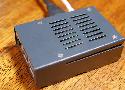
In this tutorial, we take you through the steps to setting up a DNS server on the Raspberry Pi. It's ideal if you want a private DNS for your network.

In this Raspberry Pi static IP tutorial, we will show you how to configure your Raspberry Pi's network so that it utilizes a static IP address.
Back in 2007, Bernat explained how to set up our own domain name using ISC BIND and ISC DHCP. You can’t go wrong with those servers but maybe you prefer something more straightforward. I present here a simpler alternative built on top of dnsmasq which is an integrated DNS and DHCP.
python -m SimpleHTTPServer
# or the Python 3 equivalent
python3 -m http.server
a tutorial that will show you how to embed any number of HTML widgeits or snippets into your Notion app page. Completely free without ads.
OTP HTML Input. GitHub Gist: instantly share code, notes, and snippets.

Finding, memorizing, and typing OTPs sent via SMS is cumbersome. The WebOTP API simplifies the OTP workflow for users.
Cheat sheet to learn Tailwind CSS quickly. Browse and search all Tailwind utility classes or CSS properties on one page.

Content-agnostic and easy to customize modal component made with Alpine JS.

In diesem Beitrag erfahrt ihr wie mit Hilfe von CSS3-Animationen Objekte umgedreht werden können (CSS Flip)
I have a piece of JavaScript code that I am executing using the node.js interpreter.
for(var i = 1; i < LIMIT; i++) {
var user = {
id: i,
name: "MongoUser [" + i + "]"
};
db.users...
I observed that when i use Logcat with Eclipse with ADT for Android, I get messages from many other applications as well. Is there a way to filter this and show only messages from my own applicatio...
Backup android app, data included, no root needed, with adb - android-backup-apk-and-datas.md

Syncing the database & assets between environments is an important workflow, but it's a pain. Here's some help

Boilerplate with Craft CMS, Tailwind CSS, VueJS & Alpine.js used for internal projects. - GitHub - madebyshape

because python errors
./install.sh --skip-user-prompt

With Rails, you don’t have to think about how to structure your app. According to The Rails Doctrine, “You’re not a beautiful and unique snowflake”. There’s no need to deliberate over the same…
Running your Rake tasks requires two steps:
Loading Rake
Loading your Rake tasks
You are missing the second step.
Normally this is done in the Rakefile, but you have to do it manually here:
require 'rake'
Rails.application.load_tasks
Rake::Task['my_task'].invoke
Using swaks to test email delivery, SMTP server, GTUBE spam test, EICAR virus test, attachment test, gmail smtp test, finding non-verifiable emails
export XDG_RUNTIME_DIR="/run/user/$UID"
export DBUS_SESSION_BUS_ADDRESS="unix:path=${XDG_RUNTIME_DIR}/bus"

I just started the Office 2016 Setup

Web and API based SMTP testing. Contribute to mailhog