



- To begin with, add an HTML element on the same page as the Elementor Image Carousel
- After that, add a class name to your Elementor carousel element
- Give it the class name “carousel1” under Advanced > CSS Classes.
- Then, add this code the html element, and edit the links to your own
<style>.swiper-slide-image{cursor: pointer;} </style>

<script>
document.addEventListener('DOMContentLoaded', function () {

/* Edit the links HERE */
let links = [
    'https://element.how/elementor-menu-anchor/#anchor_from_other_pages',
    'https://element.how/elementor-horizontal-scroll-section/',
    'https://element.how/amazing-accordion-section/',
    'https://element.how/awesome-hexagonal-boxes/',
    'https://element.how/show-header-hamburger-click/',
    'https://element.how/elementor-centered-logo-header/'
];

document.body.addEventListener('click', function (e) {
    if (e.target.closest('.carousel1 .swiper-slide')){
    let i = e.target.closest('.swiper-slide').getAttribute("data-swiper-slide-index");
    window.open(links[i]); /* TO OPEN LINKS IN SAME WINDOW USE: location = links[i]; */
    }
});
});
</script>- enjoy
Multiple carousel on same page
add the class ‘carousel1’ , ‘carousel2’ , ‘carousel3’ etc to each Image Carousel
<style>.swiper-slide-image{cursor: pointer;} </style>

<script>
/* For Carousel 1 on the page */

document.addEventListener('DOMContentLoaded', function () {

/* Edit the links HERE */
let links = [
'https://element.how/elementor-pop-ups-problems/',
'https://element.how/elementor-horizontal-scroll-section/',
'https://element.how/amazing-accordion-section/',
'https://element.how/awesome-hexagonal-boxes/',
'https://element.how/show-header-hamburger-click/',
'https://element.how/elementor-centered-logo-header/'
];

document.body.addEventListener('click', function (e) {
if (e.target.closest('.carousel1 .swiper-slide')){
let i = e.target.closest('.swiper-slide').getAttribute("data-swiper-slide-index");
window.open(links[i]); /* TO OPEN LINKS IN SAME WINDOW USE: location = links[i]; */
}
});
});

/* For Carousel 2 on the page */

document.addEventListener('DOMContentLoaded', function () {

/* Edit the links HERE */
let links = [
'https://element.how/elementor-pop-ups-problems/',
'https://element.how/elementor-horizontal-scroll-section/',
'https://element.how/amazing-accordion-section/',
'https://element.how/awesome-hexagonal-boxes/',
'https://element.how/show-header-hamburger-click/',
'https://element.how/elementor-centered-logo-header/'
];

document.body.addEventListener('click', function (e) {
if (e.target.closest('.carousel2 .swiper-slide')){
let i = e.target.closest('.swiper-slide').getAttribute("data-swiper-slide-index");
window.open(links[i]); /* TO OPEN LINKS IN SAME WINDOW USE: location = links[i]; */
}
});
});

/* For Carousel 3 on the page */

document.addEventListener('DOMContentLoaded', function () {

/* Edit the links HERE */
let links = [
'https://element.how/elementor-pop-ups-problems/',
'https://element.how/elementor-horizontal-scroll-section/',
'https://element.how/amazing-accordion-section/',
'https://element.how/awesome-hexagonal-boxes/',
'https://element.how/show-header-hamburger-click/',
'https://element.how/elementor-centered-logo-header/'
];

document.body.addEventListener('click', function (e) {
if (e.target.closest('.carousel3 .swiper-slide')){
let i = e.target.closest('.swiper-slide').getAttribute("data-swiper-slide-index");
window.open(links[i]); /* TO OPEN LINKS IN SAME WINDOW USE: location = links[i]; */
}
});
});

/* For More carousels, keep duplicating the code in the same fashion, replacing '.carouselx' with the right x value */
</script>

CSS tricks for glassmorphism in firefox

sudo apt-get install bind9 bind9utils dnsutils


How to extend an existing Pi-hole instance with secure DNS.
HyperText Transfer Protocol Secure (https) is a communication protocol adding a security layer to classic http. It uses TLS and certificates communication betwe
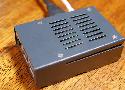
In this tutorial, we take you through the steps to setting up a DNS server on the Raspberry Pi. It's ideal if you want a private DNS for your network.

In this Raspberry Pi static IP tutorial, we will show you how to configure your Raspberry Pi's network so that it utilizes a static IP address.
Back in 2007, Bernat explained how to set up our own domain name using ISC BIND and ISC DHCP. You can’t go wrong with those servers but maybe you prefer something more straightforward. I present here a simpler alternative built on top of dnsmasq which is an integrated DNS and DHCP.

python -m SimpleHTTPServer
# or the Python 3 equivalent
python3 -m http.server
a tutorial that will show you how to embed any number of HTML widgeits or snippets into your Notion app page. Completely free without ads.

OTP HTML Input. GitHub Gist: instantly share code, notes, and snippets.

Finding, memorizing, and typing OTPs sent via SMS is cumbersome. The WebOTP API simplifies the OTP workflow for users.